Have you ever enabled Focus Mode on your phone only to have certain alerts still break through your silence settings? Those interruptions are often caused by Time Sensitive notifications—a special category of alerts designed to reach you even when your device is muted.
If you’re wondering how to turn off time sensitive notifications, you’re not alone. Many users find these alerts useful for emergencies but frustrating when apps misuse the feature for reminders, promotions, or frequent updates.
In this guide, you’ll learn what Time Sensitive notifications are, how they work, how to disable them on your iPhone, and how to manage specific apps so you only receive alerts that truly matter.
What Are Time Sensitive Notifications?
Time Sensitive notifications are a notification priority feature introduced by Apple with iOS 15 as part of the Focus Mode system. They are designed for alerts that require immediate attention and can bypass certain Focus settings, including Do Not Disturb.
Examples of legitimate Time Sensitive alerts include:
- Security system warnings
- Medication reminders
- Important calendar notifications
- Delivery updates with immediate action required
- Banking fraud alerts
- Emergency or safety notifications
However, some apps request permission to send Time Sensitive alerts for less critical information, which can make your phone feel more distracting than helpful.
How Time Sensitives Notifications Work on iPhone
Before learning how to disable them, it helps to understand their purpose.
When an app has permission to send Time Sensitives notifications, those alerts can appear immediately even if you have:
- Do Not Disturb turned on
- A custom Focus Mode activated
- Certain notification restrictions enabled
These notifications appear with a Time Sensitives label and are typically shown prominently on your Lock Screen.
Apple allows users to control this feature on an app-by-app basis, giving you more flexibility instead of disabling all notifications entirely.
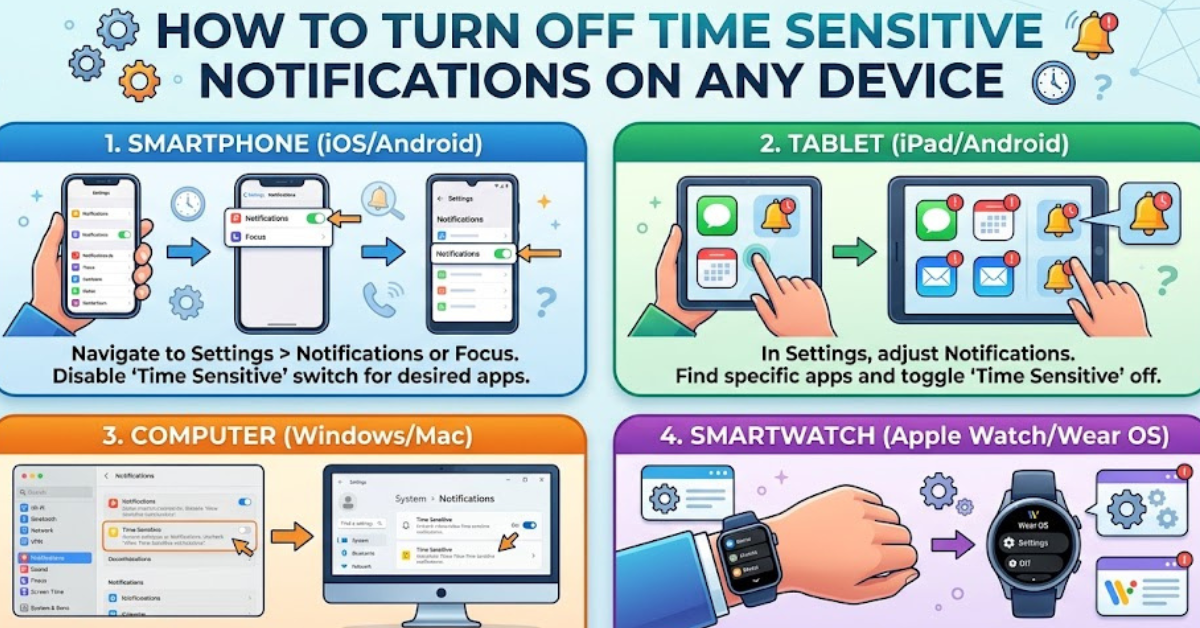
How to Turn Off Time Sensitives Notifications on iPhone
If you no longer want apps to bypass your Focus settings, follow these steps:
- Open the Settings app on your iPhone.
- Tap Notifications.
- Select the app you want to manage.
- Find the Time Sensitives Notifications option.
- Toggle it Off.
Once disabled, that app can no longer send Time Sensitive alerts, although standard notifications may still appear depending on your settings.
How to Disable Time Sensitive Notifications for Multiple Apps
If several apps are sending unwanted urgent alerts, repeat the process for each one.
A good strategy is to review apps that commonly use this feature, such as:
- Shopping apps
- Delivery services
- Social media platforms
- Productivity apps
- Fitness and wellness apps
Keep Time Sensitive permissions enabled only for applications that provide genuinely urgent information.