
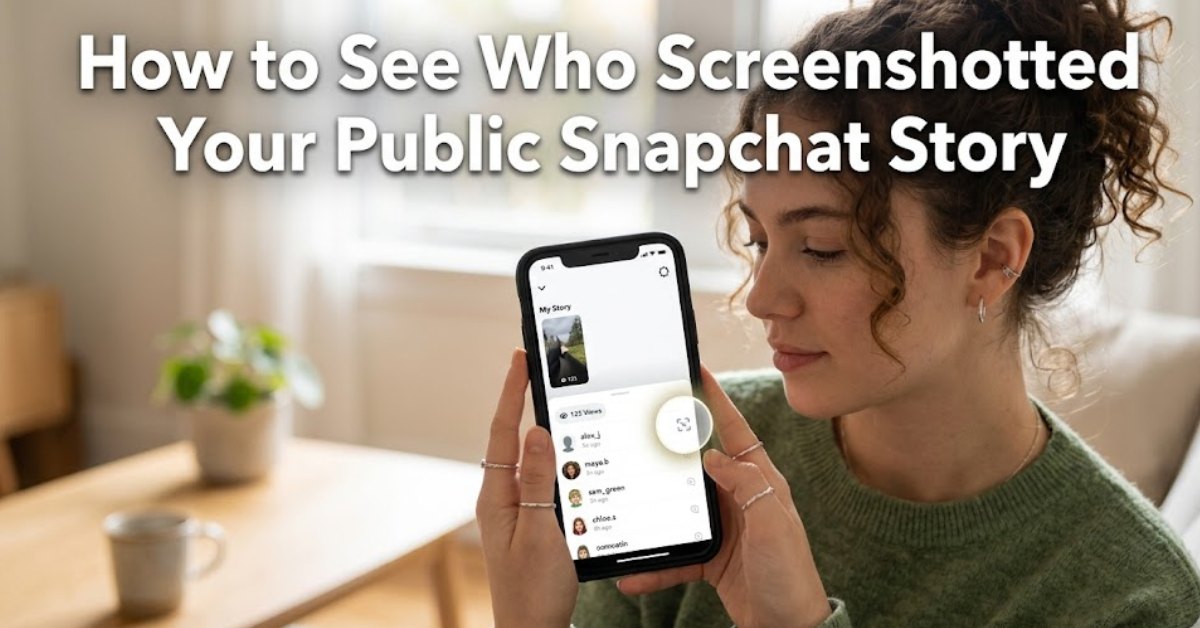
Ever posted a Snapchat Story and immediately wondered who saved it or secretly took a screenshot? It’s a common curiosity—especially when your story is public and reaching people beyond your friends list. If you’re searching for how to see who screenshotted your public Snapchat story, you’re not alone.
Snapchat is designed around privacy and temporary content, but it also gives users limited visibility into who interacts with their stories. In this guide, we’ll break down what you can and cannot see, how screenshot notifications actually work, and what options you have for public stories.
By the end, you’ll clearly understand whether Snapchat reveals screenshot identities—and what tools (if any) can help you track them.
Can You See Who Screenshotted Your Public Snapchat Story?
Let’s get straight to the point: Snapchat does not let you see exactly who screenshotted your public story in full detail in every case.
However, there’s an important distinction:
- For private stories (friends only) → you can see a list of users who viewed and sometimes who took screenshots or screen recordings.
- For public stories (Snapchat Spotlight or Public Profile Stories) → visibility is more limited.
When you’re trying to figure out how to see who screenshotted your public Snapchat story, the truth is that Snapchat prioritizes privacy for public content viewers. You may receive screenshot notifications, but they are not always as detailed or consistently available as with private stories.
What Snapchat Actually Shows You
Snapchat does give you some insights—but not full transparency.
For Public Stories, you may see:
- Total number of views
- Engagement metrics (likes, replies, shares depending on settings)
- Sometimes notifications of screenshots (limited and not always tied to full identities)
What you usually DON’T get:
- A complete list of who screenshotted your story
- Reliable tracking of every screen recording
- Detailed analytics for anonymous viewers
So if your goal is how to see who screenshotted your public Snapchat story, the platform simply doesn’t provide a full breakdown.
Why Snapchat Limits Screenshot Visibility
Snapchat was built on the idea of disappearing content and privacy. When content goes public, Snapchat has to balance:
- User privacy protection
- Creator engagement analytics
- Anti-surveillance design principles
If everyone could see exactly who screenshotted public content, it would discourage browsing and engagement. So Snapchat restricts this data, especially for public-facing posts.
How Screenshot Alerts Work on Snapchat
Even though you may not get full names for public stories, Snapchat still detects screenshots using system-level monitoring.
Here’s what typically happens:
- A user takes a screenshot of your story
- Snapchat logs the action instantly
- You may receive a notification like “Someone took a screenshot”
However:
- On public stories, this alert may not always appear
- Even when it does, it may not give complete identity details
This is why searches for how to see who screenshotted your public Snapchat story often lead to confusion—because the feature is inconsistent.
Can Third-Party Apps Reveal Who Screenshotted Your Story?
Short answer: No, not reliably.
Many apps claim they can reveal hidden Snapchat activity, but in reality:
- Snapchat does not allow external access to screenshot data
- Third-party tools violate Snapchat’s terms of service
- Most “tracker apps” are scams or data-harvesting tools
If you’re serious about privacy and security, avoid these apps completely. They cannot genuinely help with how to see who screenshotted your public Snapchat story.
What You Can Do Instead
Even though you can’t fully track screenshots, you still have some useful options:
1. Switch to Private Stories
If you want more control:
- Share stories only with friends
- View detailed viewer lists
- Get clearer screenshot notifications
2. Use “Custom Audience” Settings
Snapchat allows you to:
- Choose who sees your content
- Limit exposure to unknown viewers
3. Monitor Engagement Patterns
While not exact, you can observe:
- Repeated viewers
- Frequent engagers
- Unusual spikes in views
Real-World Example
Imagine you post a public Snapchat story promoting your content or daily life update. Within hours:
- You see 2,000 views
- A few replies
- But no clear indication of who screenshotted it
This is normal. Even influencers and public creators face the same limitation. Snapchat gives reach—but not full viewer transparency for public content.
Key Takeaways
- You cannot fully see who screenshotted your public Snapchat story
- Snapchat only provides limited or partial screenshot notifications
- Public stories prioritize viewer privacy over creator tracking
- Private stories offer more visibility and control
- Third-party apps claiming otherwise are unreliable
FAQs About Snapchat Story Screenshots
1. Can I see who screenshotted my Snapchat public story?
Not completely. Snapchat does not provide full identities for screenshot actions on public stories.
2. Does Snapchat notify screenshots on public stories?
Sometimes, but not consistently. Notifications are more reliable on private stories.
3. Why can’t I track who screenshots my story?
Snapchat limits this feature to protect viewer privacy and encourage open engagement.
4. Can third-party apps show who screenshotted my story?
No. These apps are unsafe and cannot access Snapchat’s internal screenshot data.
5. Is there any way to know who saved my story?
Only partial indicators exist (like engagement or views), but no full list of savers or screenshot users is provided.
6. What’s the difference between public and private story tracking?
Private stories give more detailed viewer and interaction data, while public stories are more restricted.
Conclusion
When it comes to how to see who screenshotted your public Snapchat story, the reality is simple: Snapchat doesn’t fully reveal that information. While you might get occasional alerts or partial insights, the platform intentionally limits tracking on public content.
If understanding your audience is important, focus on using private stories or adjusting your audience settings for more control. Otherwise, public stories are best treated as open content—visible, shareable, but not fully traceable.
If you want better engagement insights, learning how Snapchat analytics work can give you more value than trying to track screenshots alone.